


🚀 Elevate your office game with speed, smarts, and seamless wireless printing!
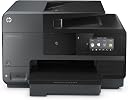
The HP OfficeJet Pro 8620 is a robust all-in-one inkjet printer designed for small to medium offices, delivering fast print speeds up to 34 ppm (B&W) and 17 ppm (color) with 1200 dpi resolution. It supports wireless and NFC printing, automatic duplexing, and a 500-sheet paper capacity, making it a versatile, cost-efficient choice for professionals seeking reliable multi-function performance. While praised for connectivity and ink cost savings, some users report occasional wireless instability and average photo print quality.
| ASIN | B00J8NBVYE |
| Additional Printer Functions | All In One |
| B&W Pages per Minute | 34 pages_per_minute |
| Best Sellers Rank | #288,425 in Office Products ( See Top 100 in Office Products ) #2,132 in Computer Printers #9,730 in Inkjet Printer Ink Cartridges |
| Brand | HP |
| Built-In Media | Printer, USB Cable |
| Color | Black |
| Color Pages per Minute | 17 pages_per_minute |
| Compatible Devices | Smartphones |
| Connectivity Technology | USB |
| Control Method | Voice |
| Controller Type | Amazon Alexa, Vera |
| Customer Reviews | 3.9 out of 5 stars 1,693 Reviews |
| Display Type | LCD |
| Duplex | Automatic |
| EU Spare Part Availability Duration | 1 years |
| Global Trade Identification Number | 00888182021514 |
| Hardware Interface | Ethernet, USB 2.0 |
| Ink Color | Black |
| Item Dimensions D x W x H | 12.4"D x 19.7"W x 18.5"H |
| Item Weight | 28.6 pounds |
| Manufacturer | HP |
| Maximum Copy Resolution Black and White | 1200 dpi |
| Maximum Copy Resolution Color | 1200 dpi |
| Maximum Copy Speed Black and White | 34 pages_per_minute |
| Maximum Media Size | 8.5 x 14 inch |
| Maximum Print Resolution Black and White | 1200 dpi |
| Maximum Sheet Capacity | 500 |
| Maximum print Resolution Color | 1200 dpi |
| Model Name | 8620 |
| Model Number | 8620 |
| Model Series | OfficeJet Pro |
| Number of Trays | 1 |
| Other Special Features of the Product | Auto Document Feeder |
| Output sheet capacity | 150 |
| Paper Size | 3 inch x 5 inches, 4 inch x 6 inches, 5 inch x 7 inches, 5 inch x 8 inches, 8 inch x 10 inches |
| Print media | Envelopes, Paper (plain) |
| Printer Connectivity Type | USB |
| Printer Output Type | Color |
| Printer Type | Inkjet |
| Printing Technology | Inkjet |
| Processor Count | 1 |
| Resolution | 1200 |
| Scanner Type | document |
| Series Number | 765 |
| Special Feature | Auto Document Feeder |
| Specific Uses For Product | Office |
| Total USB 2.0 Ports | 1 |
| Total Usb Ports | 2 |
| UPC | 012306239299 888182021620 809394433858 888182021521 638084646212 888182021514 807320199991 804993452576 823019603440 663414218906 642125166645 014445150268 048001708662 044111253795 |
| Unit Count | 1 Count |
| Warranty Description | One-year limited hardware warranty; 24-hour, 7 days a week limited support |
| Warranty Type | limited warranty |
| Wattage | 35 watts |
E**N
This is a great printer for a small, and not so small, office or home/office
This is a great printer for a small, and not so small, office or home/office. Now, to be clear I'm a fan of HP printers. I've owned several over the years, using them in a real estate business for everything from flyers to legal documents. In each case the printers outlasted the other electronics (computers, cameras, etc.) purchased and used at the same time. I had very high hopes for this all-in-one based on stellar reviews. I've had mine now for only a short time but I'm already seeing the limitations of this generally very functional office printer. I usually write long reviews, but here I'll try to be brief and hit the pros and cons of HP's 8620. OVERALL; it's a more than capable printer and I'm happy enough with my purchase to keep it. Part of my decision to keep it, rather than opt for a competing product like the Epson WorkForce 3640, is that I've decided to go with long-term reliability over a more sensational print quality or lower price - the latter two (higher quality printing and lower purchase price) I associate with the Epson. I almost pulled the trigger on the Epson 3640 as it seems to address the weaknesses of the HP 8620, but I opted for the HP due to Epson's know issues with wasting expensive ink cartridges and frequent printer head clogs. The HP was nearly twice the price of the Epson ($225 vs $125) - yet I was worried that long-term cost of Epson ink would quickly offset Epson's lower purchase price. PROS: Functionality is high on this HP printer! The wireless printing has been flawless. Both remote e-printing and wireless printing from my Sony laptop, Asus tablet and Samsung Note 3 smartphone have been excellent. The same applies to scanning and copying. I haven't used it as a fax, but it appears from the 3.5 LCD and printing prompts that printing can be done as an efax... So again, funtionality as an all-in-one could not be better. Cost and reliability of ink and print mechanisms is also very good - maybe even excellent. When comparing ink cartridge pricing with Epson, the cost per page were anecdotally about half the cost! Then given HP's high reviews on ink replacement and general printer reliability, I had to go with HP over Epson. So, low print cost and reliability = win for HP. Clogging and frequent refilling of ink = fail for Epson (even though Epson's overall print quality is superior). Print, scan and copy speeds are also very good. Excluding wireless printing from tablets and smartphones (which both print quite slowly), the standard print, copy, scan functions are fast! Print quality is where the tide starts to turn somewhat. I've had other HP printers in the past that used older technology (I assume) but printed more eye-popping color. The overall quality is good, especially with text. But the quality of photos and graphics is okay, and honestly, I was hoping for better. So, print quality of the HP is a mixed bag of mostly good, but not great. CONS: Print quality is only good. That may seem unfair to list this as a "con." But in fairness, print quality is such a key feature of printer ratings that "good" is just okay. Again, I've decided to trade great (Epson) for good (HP) due to other considerations already mentioned. And while totally acceptable, I was a little disappointed that the quality of the HP 8620 printing wasn't "great" based on many of the reviews I read. Another negative, and frankly a disappointment, is that HP has opted for a type of dedicated paper tray that doesn't allow for manual feeding (at least not easily) of different print stocks. So, if you want to switch to photo paper, cardstock or envelopes, you have to clunkily remove the entire paper tray and paper, then replace them with whatever stock you plan on trying to print on. This is just impractical for an all-in-one that's supposed to cater to small to moderate sized business. The Epson WorkForce by comparison allows you to feed different media/stock through a bypass tray. I almost returned the HP 8620 for this reason alone. A very minor and final negative of the HP 8620 is that it is BIG. It just seems like HP could have either trimmed down the footprint/size, or at least easily added a bypass tray, because of the size of this thing! When you open the front panel there is room to spare - so it just makes this printer seem unnecessarily large. That said, it does fit on the same desk as my laptop with external keyboard, additional monitors and stereo speakers. So while not a deal-breaker by any means, the larger size ends up being just a minor negative. MY CONCLUSION; is that the biggest weakness of this HP is the graphic and photo print quality. The quality is not bad, and you could even say it's good. It's just not great - which I wish it was. But I'm unwilling to deal with Epson's known print head clogging issues and need to constantly be replacing ink cartridges. HP is a very solid choice for overall performance and functionality. I'll be back with an update after a few months of use to see if any of my initial thoughts have changed.
D**P
A Lot of Research Done Before My Purchase
Any time I make a big purchase, there is a lot of research involved. I looked at printers ranging from Epson to Canon. During my research I also read the reviews on Amazon about this printer. Even with one person giving it 1 star, I made the purchase anyway and I must say, I am glad that I did! It works wonderfully. It prints fast and the scanned documents looks better than any scan documents I've ever seen. I can scan documents, images, etc... from my phone. I can also access Dropbox or other cloud sites from my phone and print anything in there. The printer also comes with an email address that you can customize. You send emails, photos, or documents to that email address and it will automatically print them for you and they will be waiting for you when you get home. I love that! Scanning was the main reason for the purchase, but I got a lot more than I expected. I cannot tell you anything about the faxing feature. I have not nor will I use it in the near future. I will admit, the printer is bigger than I thought, but I can live with that. Oh and as for the person who gave it "one star", I believe that is a "troll" post, which is used to upset or deter people from purchasing this. Not to mention, if all of those things happened (which I find VERY hard to believe), there were much bigger issues than the printer! If you are looking for a printer, this is the one to have! **Edited on Aug 21, 2014** I still love the printer very much, but the purpose of this edit is to comment on the other three people who gave it a 1 Star rating. The one written on July 23, 2014 by Kenneth J. Flanagan leaves me clueless. He says the printer craps out, but that tells me absolutely nothing. I also don't understand his comment regarding the LED. When it goes to sleep, I just leaves a small little light on to let you know that it is still operable and in sleep mode. There is no validity to his review. I think this is another troll post. Not to mention, this is the only review that he's written on Amazon. The post written on August 19, 2014 by Sue E Lucas makes no sense to me. She is another who only wrote one review and I feel this is also a troll post. She contradicts herself. She claims to have been a HP customer for many years, but in the next paragraph, she says she was cautious in making the purchase. I could be wrong, but I cannot see a person in customer service, from a reputable company, tell a customer that she sounds like a whinny woman. Then she went on to say the representative said, "you sound like the kind of guy that would complain if your neighbor cut his grass and cut a little of yours." I have dealt with their customer service and I don't believe this happened. Not to mention, the calls are recorded. This is another review with no validity. The last review that I am going to comment on is the one written on August 13, 2014 by James Hochstadt. He is not afraid to give a five star review as he did with another item. His review may have some validity to it, but I cannot verify this claim because I do not use the heavy paper. I have read something similar before. He mentioned that was why they had a class action lawsuit. The only class action lawsuit that I have seen was regarding an issue with the printer staying connected via WiFi. I have not had this problem. It could be that they updated the software, which is done regularly. I hope this additional information was helpful.
L**B
HP OfficeJet 8620 is UNRELIABLE JUNK
UPDATE#3: Okay the second printer is just under 5 months old and... we got the dreaded "printhead appears to be missing error. Ran through HP's insane trouble shooting routine 3 times as they direct and it still doesn't work. Out of desperation I replace all the print cartridges ($75 worth) and it still doesn't work. Let the fun begin and call HP Support. By this time I have spent at least 6 hours trying to make this hunk of crap work and have had the unit exchanged once. Right from the start the only way I could get this "wireless" printer to work was by connecting an Ethernet cable to it! And even then it would randomly lose connectivity and need to be rebooted. Now the printhead error. By the way there is class action lawsuit going for this issue already. Too late for Amazon to offer support and HP won't give a refund because I bought it from Amazon. HP wants to send me a 3rd unit. Are you kidding me, the first 2 never worked as advertised and now a fatal error on the 3rd before the first ink cartridges have been used up. It's just sad, HP was such a great company. It only took 15 years of bad leadership to kill it. RIP Hewlett Packard. UPDATE #2: We are on our second printer and the wireless communication problems continue. Forget getting any meaningful support from HP. These guys just keep running in the repair loop. I have been reading that more people are having the same problem too. Best guess now is the WiFi on board can't deal with dual band routers. Even if the high frequency channel has a different SSID. We really should return this hunk of crap but one last attempt for a work around; we"ll try to use it connected via Ethernet only. Nothing like paying for non-existent capabilities! UPDATE: We can't take it anymore, this unit is being returned for an exchange. Based on all the good reviews I'm hopeful we just got a lemon, we'll see. I love Amazon, making the exchange is an easy process. New printer should be here is a couple of days. ORIGINAL REVIEW: I can't tell you how disappointing this printer is. I'm a former employee of HP and still work for Keysight Technologies, the original HP test and measurement business. Not to long ago HP made the highest quality products in the world but sadly those days are gone. For whatever reason I still felt some dedication to the HP brand but this printer has cured me of that. Right out of the box this thing was trouble. I followed what little instructions came with it but then couldn't get it to scan from any of our PCs. Even though I could see the printer on my PCs, when trying to scan I would get an error indicating that the printer lost communication with the PC. After an hour of troubleshooting I decided to call HP. That was an adventure in it self. They don't want you to call, it seems as if they are going out of their way to NOT provide a phone number. If you wander around the website long enough you'll finally find a method to get in line to have a Rep call you back. The call back came pretty promptly but of course the service Rep had such a heavy Indian accent I could barely tell what he was saying. The service Rep stayed on the phone with me for over 2 hours, I give him credit for working hard. Unfortunately some of the gibberish that was said made no sense and demonstrated that HP is willing to try and BS their customers into believing things like Windows 7 might be the problem, but NOT their printer. The tech even suggested the problem was the Windows firewall and I should turn it off. Ultimately it seemed as if the biggest but not only problem with this big black brick is that you can't connect it to your network with the USB cable and use the wireless connection at the same time. So after 3 hours of torture I removed the USB cable and we got the printer to work most of the time. Since then the printer bombs out about 25% of the time and we have to either cycle the power or the wifi connection on the printer to get it connected to our PCs. I will say when it is working the print quality is very good but over all STAY AWAY FROM THIS HUNK OF CRAP!!
G**E
Love/Hate
Edit: Updated to 4 stars after I discovered (unlike what I originally wrote below) there IS a 64-bit WIA scanner driver included, even tho there is no 64-bit TWAIN driver currently. WIA is Microsoft's answer to TWAIN. The app I use most often (Paint Shop Pro X6) for some reason accesses WIA devices in a separate menu item than TWAIN devices, so I missed that at first. I've now confirmed that my 8620 does have a 64-bit WIA driver installed and I can access the scan app natively through my 64 bit image editing application (Paint Shop Pro X6-64). I also printed a drop dead gorgeous blowup to 8.5 x 11 of a 4 x 6 twenty year old photo print on HP photo paper this morning on the first try. . .that improved my mood a bit too. :) ++++ On day three, I'm feeling very conflicted about this all-in-one. It's replacing a Canon Pixma MP830, which I purchased in 2007, but was initially released in 2004. So this new HP, just announced in March of 2014, has a 10 year technology advancement advantage. In some places it shows it, in others it doesn't. Wireless networking is certainly much better than my old Pixma. The printer is available from all my wireless network devices. The scanner is available from networked PCs, which is nice (early networked all-in-ones would sometimes let you use the printer, but not the scanner, across the network). I've successfully used Apple Airprint (a newish I-Pad Air) and HP ePrint from an Android device (HTC One M8 smartphone). HP ePrint took some playing with to get it do something reasonable, which is fill the page with the photo. I did eventually discover the settings to get it do that, which had to do with it deciding by default I probably had 4x6" photo paper loaded in the printer. Umm, what? Anyway, once set to letter size plain paper it did a reasonable job. Two laptops with Windows 7 64 bit have also been successfully printed from and seem to have full functionality across the wireless network without having to have a "controlling" PC attached to the printer by USB. So that's all good, tho it took a bit to get it there. I had tremendous jamming problems, and inexplicable (still) "paper size mismatch" errors today. The latter occurred after printing a test image from the printers own "test reports" section and then trying to use that same piece of paper as the input in the ADF to do a copy. Get that, the same piece of paper the printer already printed was suddenly not the same size as the paper in the tray it came from when I wanted to make a copy. I'm not entirely sure what fixed that, maybe just fooling with the blue sizing guides in the paper tray. On the jamming, I must have had the duplexer thing on the back off the unit and back on at least 15 times today as paper kept getting jammed between there and the print head, apparently on the way out of the duplexer. I *think* what finally fixed that was changing the paper type in the defaults. This printer seems to be very sensitive to having the just right paper type selected in the print options or BAD things happen. At least that's my analysis so far. At one point this morning I was extremely close to swearing a mighty oath of eternal damnation on all HP printers forever more. . . but then I changed the paper type and all suddenly seemed well. We'll see if that fix keeps things working or not. The borderless printing doesn't always work to be 100% borderless, but it's still pretty impressive, and sometimes downright stellar. My wife was very impressed with one printout of a picture I showed her that was genuinely edge to edge and beautiful. Another significant disappointment for a 2014 printer, is I've discovered there are no native 64bit TWAIN scanner drivers (nor WIA, a competing Microsoft scanner driver standard). For 2014, this is really unacceptable. TWAIN 2.0 was the first to support native 64 bit drivers, and that was released in 2008. Now here we are 6 years later, and a brand new HP SOHO all-in-one lineup STILL doesn't have native 64 bit TWAIN drivers? This fact is more annoyance than show-stopper, however. The TWAIN 1.9 32 bit drivers that HP supplies are compatible with 64 bit OS like Windows 7 and higher. Where it gets to be annoying is if you have (like I do) 64 bit applications like newer versions of Photoshop or PaintShop Pro. . . the 64 bit versions of those applications will not see a scanner installed when you want to scan from them. Instead you'll have to rely on workarounds, either scanning from HP's app directly, and saving the resulting image, and then using your 64 bit image editing app. . .or you'll have to use the 32 bit versions of those apps. As I said, not a show-stopper, but given there are an increasing number of 64 bit native image editing applications now available, and it has been 6 years since TWAIN made the 2.0 spec available to write 64 bit native scanner drivers, this really shouldn't be where we are today with a high-end SOHO all-in-one like the HP's 86xx lineup. C'mon HP, get with it already! We want native 64 bit scanner drivers! All in all, after three days, I'm very conflicted about this HP 8620. I see some stuff I like a lot, but the problems so far have been not inconsiderable and I'm not at all sure they are finished (particularly the jamming). And the lack of 64 bit scanner drivers is very annoying at this late date for a high-end SOHO all-in-one. This isn't a $75 cheapie, this is HP's brand new lineup, and even if I paid $225 for it here at Amazon it was released to hit the $299 price point just a few months ago. We have every right to expect a *premium* experience with this all-in-one, and right now I'm not getting that "premium" feeling.
J**B
A Worthwile Purchase
I have had an Epson printer for about 10 years that has seen better days. It was made before wifi printing so I was constantly having to put documents on USB drives or emailing them to myself in order to print from my laptop. Also, I really don't print too terribly much and the extra ink I had stashed was pretty old and probably expired by the time I needed to replace it. The Epson used 6 ink cartridges so it was always a chore juggling the replacements. Mostly I do scanning. I scan all of my documents and really wanted one that would do legal size paper. This model not only does legal, but duplex scanning. I can't even tell you how much time that has save me. I had a big 2 sided document to do and I just put it in the feeder and let the scanner do its work. Before I would have to scan one side, flip it over, hit scan again, then have to take that paper out, and continue on and on. Some people have commented that the feeder feeds through askew. If you go into advanced properties in the scanning software there is an option to automatically deskew the document. It is a little bit slower but gives good results. This printer is best suited for document scanning not pictures. For pictures the Epsons are a lot better in my opinion. I haven't printed a picture on photo paper for quite some time so it is not an issue for me. It is also a bit slow printing but again for me it is not a top priority. I was able to set the printer up with all the wireless features from two laptops as well as my phone. I could not get the NFC printing to work and could find no clear instructions on how it worked. I have the printer set up with its own email address so I could send a document from anywhere now. The best part about HP now is the ink program. I am going to pay $2.99 a month for up to 50 pages of printing. This is only $36 a year. It will take 2-3 years to pay the amount that it would take to buy one set of HP ink cartridges. For my minimal printing this is an ideal program. I did not know about this when I bought the printer and was leery at first but it really is the way to go if you aren't printing all of the time. I have owned a number of printers since 1995 and this is the most excited I have been about one. I know the features aren't cutting edge any more but for me it is! In just a couple of weeks I have saved countless hours in scanning time. One thing to note this thing is a beast. I thought my Epson was big but this was even bigger. My printer is on a stand next to my desk, I could not imagine having in ON a desk.
T**M
Our New HP All-in-One
My HP309a Photosmart Premium All-in-One printer finally gave up the ghost. I loved this machine even though it had been around since Windows Vista, in computer years this was the Truman era. The ink consumed by this machine kept us from buying that summer house. My wife could not get it to print, she never had a kind word for the device but it always printed for me. When we powered up the old gal she whirred and grinded, popped and sneezed and squirted out some ink which I excused considering her age. One afternoon after hearing my wife's usual arrrrggghhhh! this $%# printer. The printer cornered my wife and was spitting out reams of half printed pages, the grinding noises now sounded more like growling with a few snake like hisses thrown in between. I knew that this was it, so I went to pull the plug on the old gal and she looked at me and fell silent and squirted a little more ink and then her lights dimmed and went out. With the holidays fast approaching I used this occasion to buy the best HP printer I could afford. It arrived at my front door 10 seconds after I clicked on the "Purchase" button. The box was too big to fit through the front door so I had the UPS guy bring it around back where I could extricate the printer from the boxes inside of boxes inside of boxes, each filled with packaging. Our new printer is an amazing machine. Just one cord for power and one phone cord for faxing the rest is automatically connected to my wireless network and the internet. The front panel is loaded with easy to use features including choosing internet news feeds to print double sided right from the printer. Why? because it can. And apps, yes apps right on my printer. When I figure out what that is I'm sure it will be great. The ink is loaded from the front of the printer and the paper tray holds a generous 250 sheets of paper. You can scan to your computer or some cloud thingy and you can feed multiple documents into a feeder atop of the machine. This is a gal with a large frame. Weighing in at 29 pounds not including the ink, you will need more than a little desk space for this printer. The replacement ink cartridges were only $64, so my son can wait for his braces and my wife has not, to date uttered an unkind word about this HP darling we named. . . wait for it . . . Carly.
B**R
I highly recommend using HP brand ink in these printers because HP ...
I purchased this HP OfficeJet Pro 8620 for my office after my previous OfficeJet 8500 printer had died on me and was non fixable. As an A+ certified computer technician who has owned my computer repair business for nearly 18 years, I am a solid believer in HP's printers. Some are lemons, especially the cheaper printers, but again you do get what you pay for. But I have learned over time the more expensive Officejet and LaserJet models are really rock solid printers that will last for quite some time. This OfficeJet 8620 is in my office doing multiple jobs daily. I have it setup as a wireless printer on our network with a static IP address so that any computer in any room can print effortlessly to it. The second main use is that I scan documents to a shared folder on my Windows 2008 server. I setup network scanning by logging into the IP address of the printer and entering the username and password that is on the Windows server network share. Immediately the HP OfficeJet picked up the network connection and connected to it without an issue. The third main use for this printer is simply doing black and white as well as color copying. I've made sure to get the XL cartridges that do have a bit more ink in them than the standard cartridges, even though they do cost a bit more at retail outlets. I highly recommend using HP brand ink in these printers because HP is programming the printers to look for refilled or after market cartridges and prevent the printer from using those if those are detected. It is a risk to run unknown ink through a printer because it will void the warranty of a printer and it can cause damage to the print heads and internal compnents if the cartridges leak. The ease of setting up this printer on my network compared to Brother, Epson, or any other name brand literally is a piece of cake because it's so easy! As a technician I'm very experienced in setting up network printers, whether they are wifi or ethernet (this printer has both types of network connections) and brands such as Epsom and Brother are absolutely HORRIBLE at connecting to the network. Especially a wifi network. They involve multiple steps that many times, don't work until the 3rd or 4th try. HP is fantastic and simply has got the setup process perfected. You can use the onscreen method for wifi setup or the software has built in detection. None of the other brands have this and their methods usually involve several PC reboots, connecting and reconnecting of a temporary usb cable from the printer to the pc.
S**N
Saves on Paper use.
UPDATE 1/30/2016 The key to setting this up is the "HP Easy Start" without it completing the printer is useless and drivers are not availble from HP without running this app. Our problem was the "HP Easy Start" died part way through the installation process right after the Printer was assigned the wireless network address. Although signal strength was "Good" I moved the printer and the laptop closer to the WIFI Router so the signal was "Excellent" and then the "HP Easy Start" app ran to finish. Finally having the drivers installed and the printer configured by the "HP Easy Start" app, we are now able to print from iphones and the laptops with no problems. Original Review: Nice piece of hardware as long as I print using a USB cable. Claims to be compatible with smartphones - that is as long as you can email what you want to print to the printer. and of course to do that the printer needs to be on the network. To set it up on my wireless network HP provides "HP Easy Start" which can see the printer, set up the network settings and then hangs.. and leaves no way to print wirelessly from anything to the printer. may have to pack it up and return it. Not a printer I would recommend to anyone
M**K
Five Stars
This printer is amazing ...... simply superb
F**P
Très satisfait
Ormis un niveau de bruit supérieur à mes attentes, le produit est parfait pour une TPE ou un Pro. Hpeprint est un vrai bonus efficace.
B**.
Excellent product so far
Excellent product so far. Bought it for my dad who has been running a separate printer, scanner, fax machine, and copier, each of which basically antiques! This machine replaced all 4 of them and does much more than all the others, all the while faster, more efficiently, looks a lot better, and keeps the office clear. Works very very well!
E**I
Five Stars
Very good product no problem and usefull.
T**F
Thought it was a laser printer :(
Thought it was a laser printer :( Kept it anyway
Trustpilot
1 month ago
1 week ago